Table of Contents
- Why branded links and custom branded links boost trust and conversions
- Step-by-step guide to branded URLs and link analytics with OpenMyLink
- Best practices for branded URLs and QR codes for marketing
- Campaign examples, anecdotes, and efficiency tips
- Integrations, API, and workflow efficiency with OpenMyLink
- FAQs
Branded links deliver more trust on social feeds, in emails, and on printed material. This introduction outlines practical ways to set up custom branded links with OpenMyLink.io, a branded URL shortener and link management platform that offers vanity URLs, link analytics, QR code generator, and conversion tracking. You will follow step-by-step guidance, discover campaign tactics, and read precise operational tips for marketing processes. Expect examples drawn from real campaigns, concrete metrics, and checklists you can apply now for social posts, ads, packaging, and bio pages. Start with branded links to make links clear, clickable, and measurable.
Why branded links and custom branded links boost trust and conversions
Branded links and vanity URLs improve recognition at glance. When recipients see your brand in a link domain, they respond with higher engagement. Bitly and other link platforms report increased click-through for branded links, and marketing teams report higher open and click rates when links match campaign identity. Clear links look less like spam, so email filters and human recipients treat them more favorably.
Think about the last time you hesitated over a long, cryptic URL. That hesitation costs clicks. Branded links let you control the preview text, the slug, and the landing experience. Combine a branded link with a branded QR code and you cover both digital and physical touchpoints.
Ask yourself: which links in your current campaigns look trustworthy at a glance? Which feel generic? Replace generic short links with custom branded links to reduce friction and guide recipients toward conversion.
Step-by-step guide to branded URLs and link analytics with OpenMyLink
This section covers setup, link shortening, QR code generation, and analytics. The steps below present clear actions and configuration items so you can get branded URL results quickly.
Register a branded domain and configure vanity URLs
- Pick a short domain that includes part of your brand and keeps the slug readable. Short domains increase visual clarity in posts and printed media.
- Register the domain with your registrar. Point DNS to OpenMyLink’s recommended records. OpenMyLink guides DNS setup, so your domain routes to the link management platform.
- In your OpenMyLink account, add the domain under the branded domains section. Configure default link behavior, redirect type (302 for tracking without harming immediate SEO, 301 for permanent redirects where SEO matters), and SSL certificates so links show secure lock icons.
- Plan a slug structure for campaigns. Use slugs like
/sale-june,/app-download, or/s1-nycto keep tracking consistent across channels.
Checklist
- Domain registered and verified in OpenMyLink
- SSL active for the domain
- Redirect type selected per campaign goals
- Slug naming conventions documented for team
Shorten links with OpenMyLink’s branded URL shortener and QR code generator
With a configured domain, shorten long campaign URLs via OpenMyLink’s interface or API. The platform offers branded URL shortener features and a QR code generator that ties to each short link.
Practical steps
- Paste the long destination URL into OpenMyLink’s link builder.
- Select the branded domain and type a readable slug.
- Add optional parameters like UTM tags for channel tracking. Keep UTM conventions consistent across campaigns.
- Generate the short link. Confirm the preview and test the redirect on desktop and mobile.
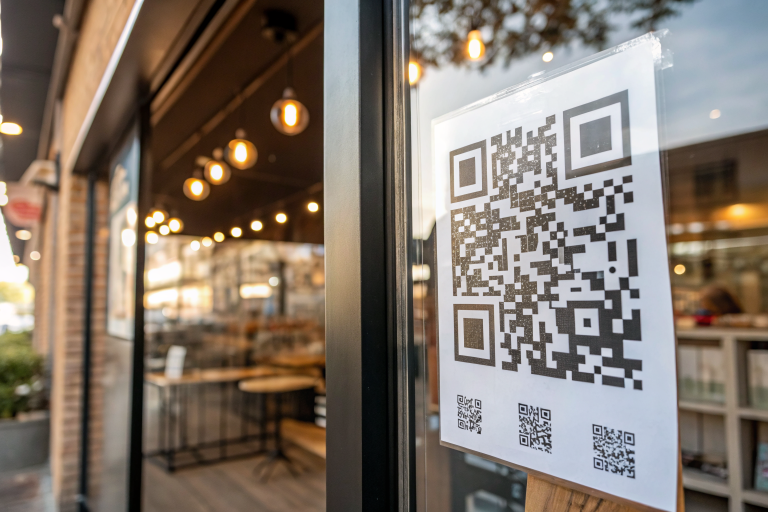
- Create a QR code linked to the same short URL. Download it in SVG or PNG formats for print and digital assets.
Testing tip: Scan QR codes on multiple devices to confirm landing pages and any mobile deep links open as expected.
Set up link analytics and conversion tracking
Link analytics turn links into measurable assets. OpenMyLink captures clicks, referrers, geolocation, device types, and time of click.
Action list
- In OpenMyLink, enable click-level analytics for the branded domain.
- Add conversion pixels or server-side events on your landing pages. OpenMyLink supports integrations with analytics tools and conversion platforms. Connect with Google Analytics or your CRM for event forwarding.
- Set up goals in your analytics platform that map to purchases, signups, downloads, or contact submissions. Tag the short link with a campaign name for easy filtering.
- Review reports daily for active campaigns, then iterate on slugs and CTAs as data indicates.
Metric examples to track
- Click-through rate per channel
- Conversion rate from short link clicks to goal
- Average time to convert
- Geo and device distribution for targeted follow-ups
For further reading on short link benefits and analytics patterns, consult HubSpot’s guide to URL shorteners.
Best practices for branded URLs and QR codes for marketing
Adopt standards that scale across teams.
- Keep slugs human-readable: Use plain words and hyphens. Avoid long hashes.
- Match channel context: Tailor slugs for email versus outdoor ads. For instance,
/email-summervs/poster-summer. - Maintain consistent UTM parameters: Standardize source, medium, campaign, and content fields for cross-reporting.
- Use QR codes for fast offline conversion: Place them where scanning makes sense. Add a call-to-action near the code that clarifies the outcome, for example, “Scan for 20% off.”
- Shorten links for spoken mentions: When you mention links on podcasts or ads, a vanity URL that reads well increases direct visits.
- Protect brand reputation: Monitor flagged clicks and implement redirects away from broken pages promptly.
Security step: Configure link scans and blocked-destination checks in OpenMyLink to reduce risk from malicious redirects. That keeps your brand reliable in every channel.
Campaign examples, anecdotes, and efficiency tips
Example 1: Email welcome flow
A SaaS startup replaced standard short links with branded links via OpenMyLink. They standardized welcome series slugs: /welcome-1, /welcome-2, and tagged each with campaign UTMs. Within two weeks, they recorded a 22% uplift in click-through rate and clearer attribution in their CRM.
Example 2: Retail packaging QR codes
A retail brand placed branded QR codes on packaging that pointed to personalized discount pages. Customers scanned the QR code at home, completed checkout with pre-applied discounts, and the brand tracked purchase conversion from the QR link. Conversion rate on QR-driven visits outperformed generic campaign links.
Efficiency tip
Use OpenMyLink templates and link groups to batch-prepare links for seasonal campaigns. For instance, generate 50 short links with predictable slugs and UTM tags for A/B tests across channels. This reduces repetitive manual entry and keeps analytics tidy.
Anecdote: A small team I advised replaced ad platform auto-shortened links with branded links. The team gained clearer insights into attribution and removed one source of customer confusion. That improved ad relevance scores and lowered cost per acquisition within four weeks.
Integrations, API, and workflow efficiency with OpenMyLink
OpenMyLink supports API calls to generate branded short links and associated QR codes programmatically. Integrations streamline link creation into existing workflows such as CMS, email platforms, and marketing automation stacks.
Suggested automation flows
- CMS integration: Generate a branded link and embed it in a blog post when the post goes live.
- Email automation: Create campaign-specific short links in the email builder via API, then log clicks to the CRM automatically.
- E-commerce: Generate one-time vanity URLs for affiliates or influencers with tracking parameters set by your affiliate system.
Developer notes
- Use the OpenMyLink API to batch-generate links and apply consistent metadata.
- Implement server-side tracking for higher accuracy on conversions from short links.
- Leverage webhooks to receive real-time click events and trigger downstream workflows.
Operational benefit: Automating link generation reduces human errors and speeds campaign launches. Teams can focus on message testing and creative rather than manual link work.
FAQs
How do branded links impact SEO?
Use 301 redirects for long-term links where SEO matters. Branded short domains can redirect to canonical pages while preserving search relevance when configured with correct redirect types.
Can OpenMyLink handle thousands of short links for large campaigns?
Yes. OpenMyLink supports bulk operations and API-driven workflows designed for scale.
What analytics are available with branded URL shortener tools?
You get click counts, referrers, geolocation, device type, and time of click. You can forward events to analytics platforms for conversion tracking.
Which redirect type should I pick for temporary promotions?
Choose 302 redirects for temporary promotions and A/B tests. Switch to 301 when the target page becomes permanent.
How do I protect branded links from abuse?
Enforce domain verification, scan destination URLs, and set rate limits. Monitor reports and revoke compromised links immediately.
If you want hands-on guidance, contact OpenMyLink support inside your account to map domains and configure tracking workflows that match your stack.
Ready to turn your links into branded, trackable assets? Sign up with OpenMyLink.io to set up a branded domain, shorten links with a branded URL shortener, generate QR codes, and start gathering link analytics for better campaign performance.
References
- Do Branded Links Matter? Benefits & Best Practices – Branch.io — https://www.branch.io/resources/blog/do-branded-links-matter/
- Boost customer confidence with branded content links — https://learn.microsoft.com/en-us/dynamics365/release-plan/2026wave1/customer-insights/dynamics365-customer-insights-journeys/boost-customer-confidence-campaign-performance-branded-links-emails-content
- How to Brand System-Generated Links (API Domain) — https://help.gohighlevel.com/support/solutions/articles/48001143244-branding-system-generated-links-api-domain-
- Branded links – Adjust Help Center — https://help.adjust.com/en/article/branded-links
- Branded Links | Branded URL Shortener & Custom Domains – Bitly — https://bitly.com/pages/features/branded-links